It's widely acknowledged that the advantages of fiber internet have been extensively emphasised. As the ultimate choice for internet connectivity, fiber should be considered if business NBN is accessible for your company.
However, fiber internet is not a one-size-fits-all solution; it presents itself in various forms, each supported by a unique combination of technologies. Understanding the specific type of fiber available for your business's internet connection is crucial for setting realistic performance expectations.
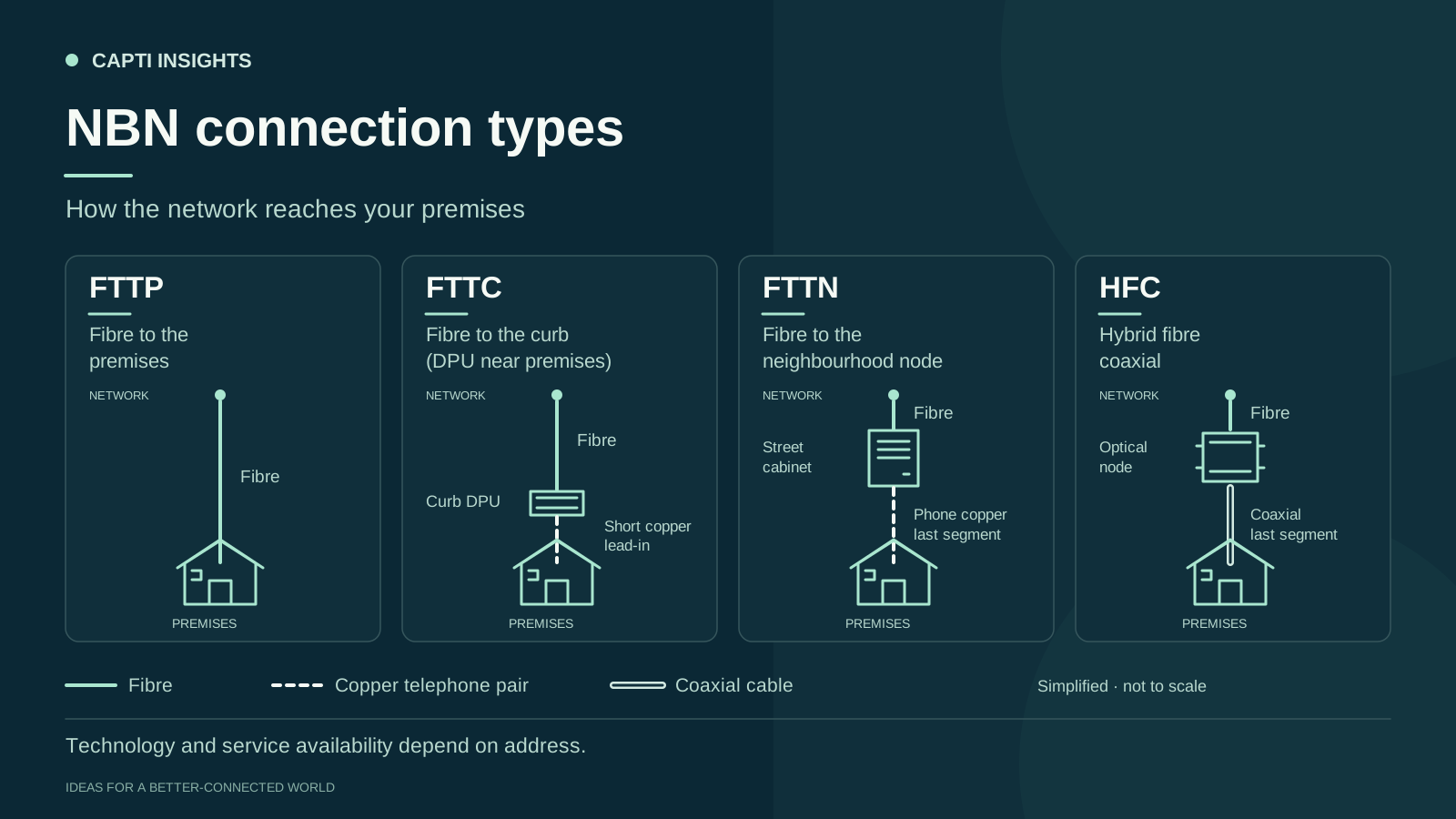
You may already be familiar with these acronyms - Fibre to the Node (FTTN), Fibre to the Curb (FTTC), Fibre to the Premises (FTTP), and Hybrid Fibre Coaxial (HFC). Yet, most promotional content jumps straight to technical specifications without thoroughly explaining how these types of connections could affect your business. This aspect is particularly vital when you're preparing a justification for your company's internet service.
Below, you'll find a helpful table outlining the advantages and disadvantages of each fiber connection type offered in Australia. Feel free to share this information with your colleagues to clarify the concept of fiber and assist in making more informed choices regarding your business internet strategy.
FIBRE TO THE NODE (FTTN)
Fibre-optic cables connect to a central cabinet in your neighbourhood (node), and then copper cables deliver the internet the rest of the way to homes and businesses.
Pros | Cons |
|---|---|
Speed
| Speed
|
Equipment Limited equipment requirements:
| |
Deployment
| Deployment
|
Performance A better internet delivery system than fully copper wire-based connections, but performance is generally not good enough for business use. |
THE VERDICT
Good for the basics: emails, light internet browsing with a few users, but that’s about it.
FIBRE TO THE CURB (FTTC)
Similar technology to FTTN, but the fibre-optic cable runs closer to your curb or driveway (i.e. closer to the premises), with a shorter length of copper cable connecting to the home or business.
Pros | Cons |
|---|---|
Speed
| Speed Can't match the speeds of FTTP due to reliance on copper cabling. |
Equipment Modest equipment requirements:
| |
Deployment
| Deployment Can't hit performance levels of FTTP due to reliance on copper cabling |
Performance More reliable and faster than FTTN and non-fibre options. |
THE VERDICT
Decent speeds, even if limited by the copper wiring. May seem affordable up front, but it can still end up costing you more than an equivalent fibre connection. Good for most light business use: basic video conferencing, filesharing, etc on a small scale.
FIBRE TO THE PREMISES (FTTP)
The purest form of fibre-optic technology that takes the fibre-optic cabling all the way from the source straight into homes and businesses. The gold standard!
Pros | Cons |
|---|---|
Speed The highest internet speeds available - up to 1,000Mbps (1Gbps) - with plans for even further capacity in the future | Speed Maximum speeds are not always achievable in peak times due to congestion (check typical 'evening speeds' for a more accurate indication) |
Equipment Limited equipment requirements:
| Equipment Requires installation of a box on the outside of the premises - not required for FTTN and FTTC |
Deployment
| Deployment
|
Performance
|
Hybrid Fibre Coaxial (HFC)
HFC connections use a multi-technology mix, relying on some combination of both fibre optic connections and coaxial electrical cables. Sadly, you can't choose which technology mix you get with HFC – it depends on the infrastructure available in your area.
Pros | Cons |
|---|---|
Speed
| Speed HFC cables are also used to deliver television services in your neighbourhood, which means it can experience congestion and slowdown, especially in peak hours. |
Equipment
| Equipment If your premises doesn't have pre-existing HFC cabling, it can be expensive to have the cabling done. |
Deployment
| Deployment Not readily available in all areas of Australia. |
Performance
|
THE VERDICT
Common for residential connections, HFC can be a solid option for businesses where FTTP is not available. Does well for most lightweight business use.
WRAPPING IT ALL UP
In summary, choosing Fibre to the Premises (FTTP) for your business is a no-brainer if it's available, given its superior speed and reliability. However, the vast geographical landscape of Australia means availability largely depends on your location and the specific type of fibre infrastructure implemented there.
If FTTP is not an option for you yet, understanding the strengths and weaknesses of alternatives like Fibre to the Node (FTTN) and Fibre to the Curb (FTTC) can still help you maximise your business NBN potential within the current limitations.
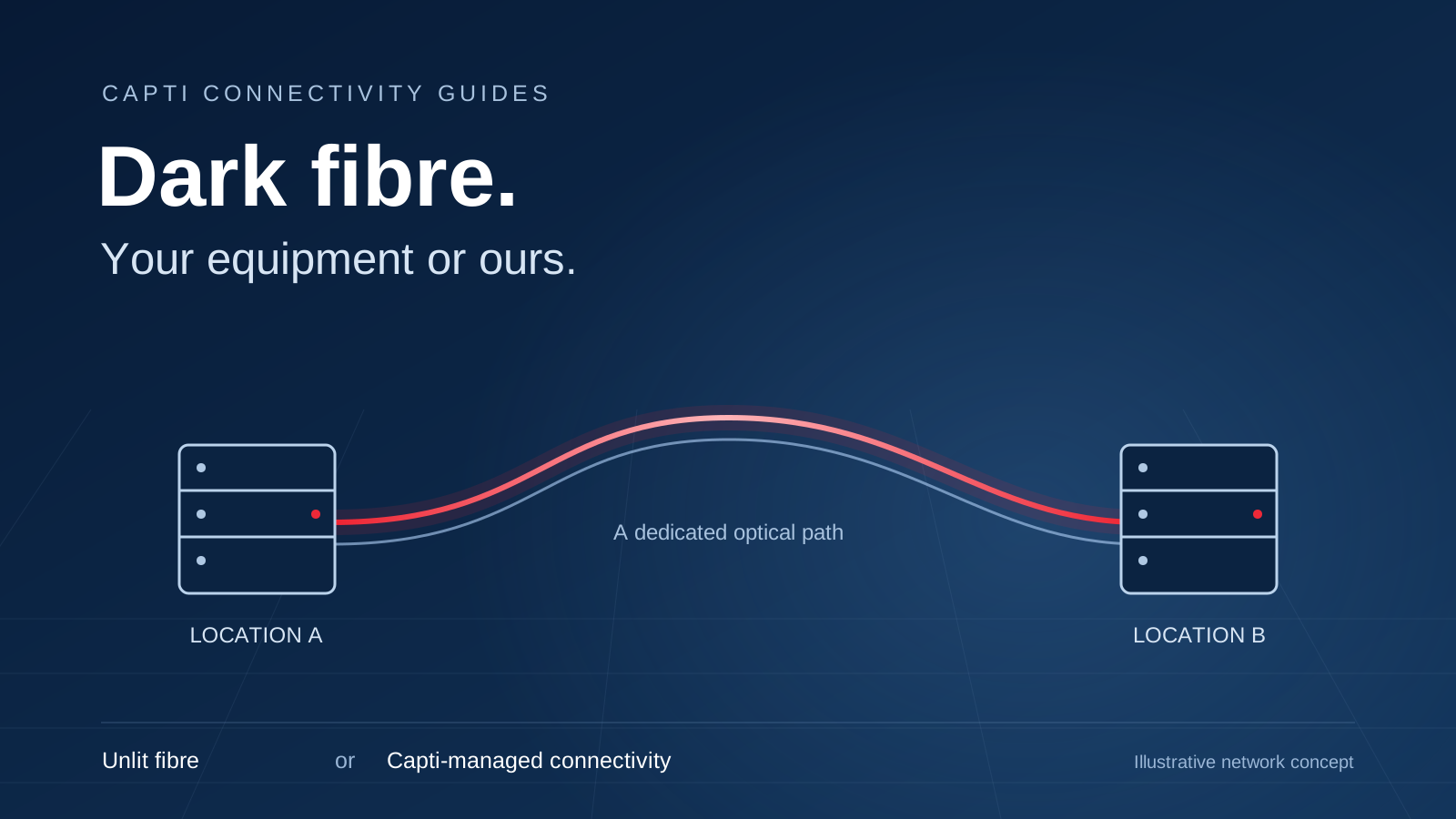
Direct Fibre is another option, representing a different chapter in the evolving story of fibre connectivity, offering its unique set of benefits and considerations.
For more detail, read about checking nbn FTTP upgrade eligibility. Explore home internet availability for your location.